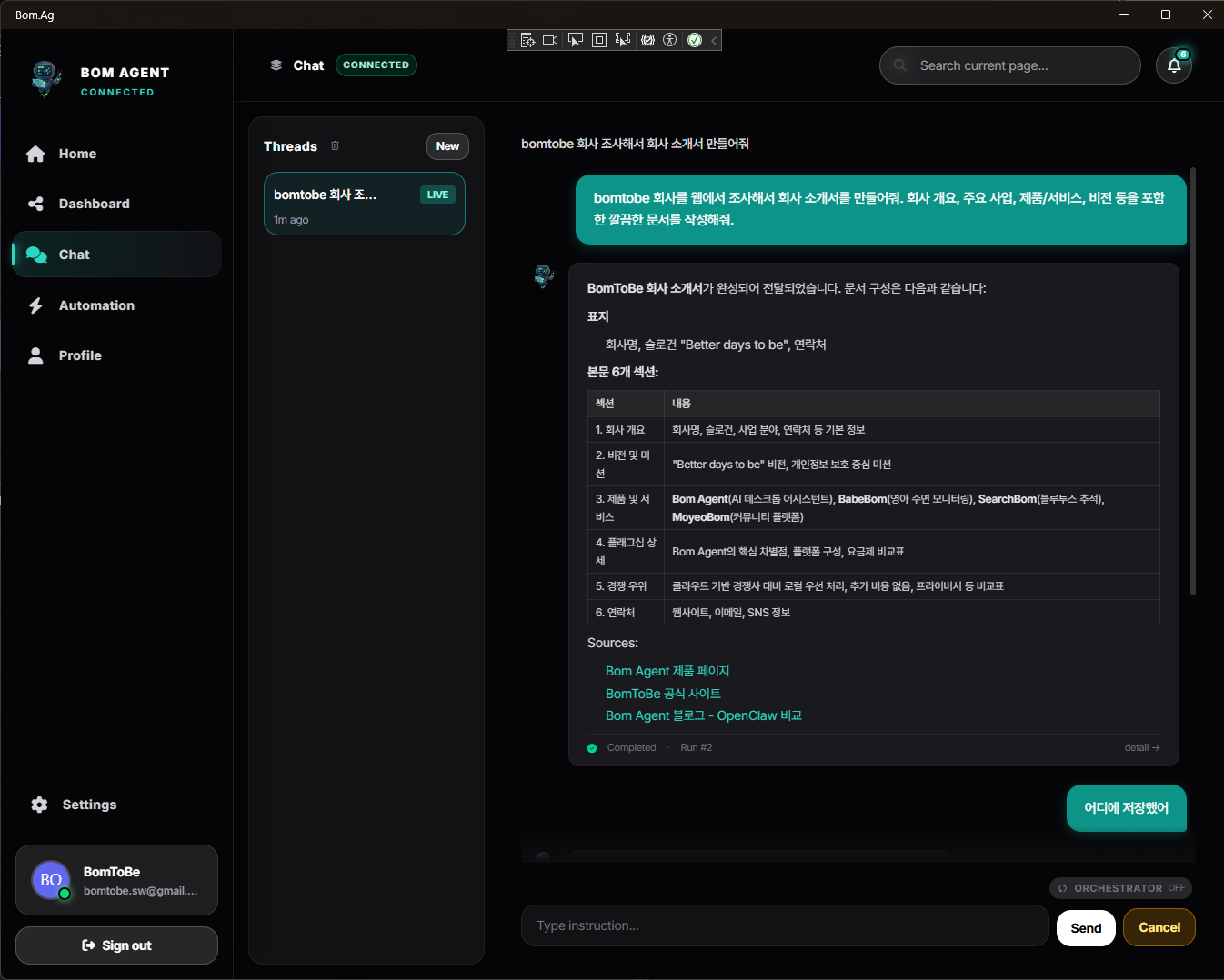
Turn the AI subscription you already pay for into a real desktop assistant.
One chat message and your PC handles calendar, browser, and files on its own.
Runs on the AI subscription you already have — no extra cost.
"Check my calendar for this week and organize the key meetings as agenda items in a spreadsheet" — just say it naturally.
Check Calendar → summarize → update Sheets → done. It works across multiple apps in one go.
Watch progress in real time. Risky actions ask for permission first. You get a notification when it's done.
Organize files, launch apps, control your browser — right on your computer.
Access any Google service — Calendar, Sheets, Docs — directly through browser automation.
Run multiple tasks at once and get combined results.
Morning briefings, weekly reports — automate recurring tasks.
Log into sites, collect data, fill forms — all automated.
Search the internet and get organized results.
Just speak and it runs. No typing needed.
It remembers past tasks and uses context to work smarter.
Create, edit, and organize documents and spreadsheets with one command.
When a decision is needed, it shows options and waits for your choice.
If one AI is busy, it switches to another automatically.
Dangerous actions are blocked. Sensitive tasks require your permission.
Files, apps, browser — everything handled right on your computer. Your data never leaves your machine.
See exactly what it's doing in real time.
Risky actions ask for permission. Problems are auto-recovered.
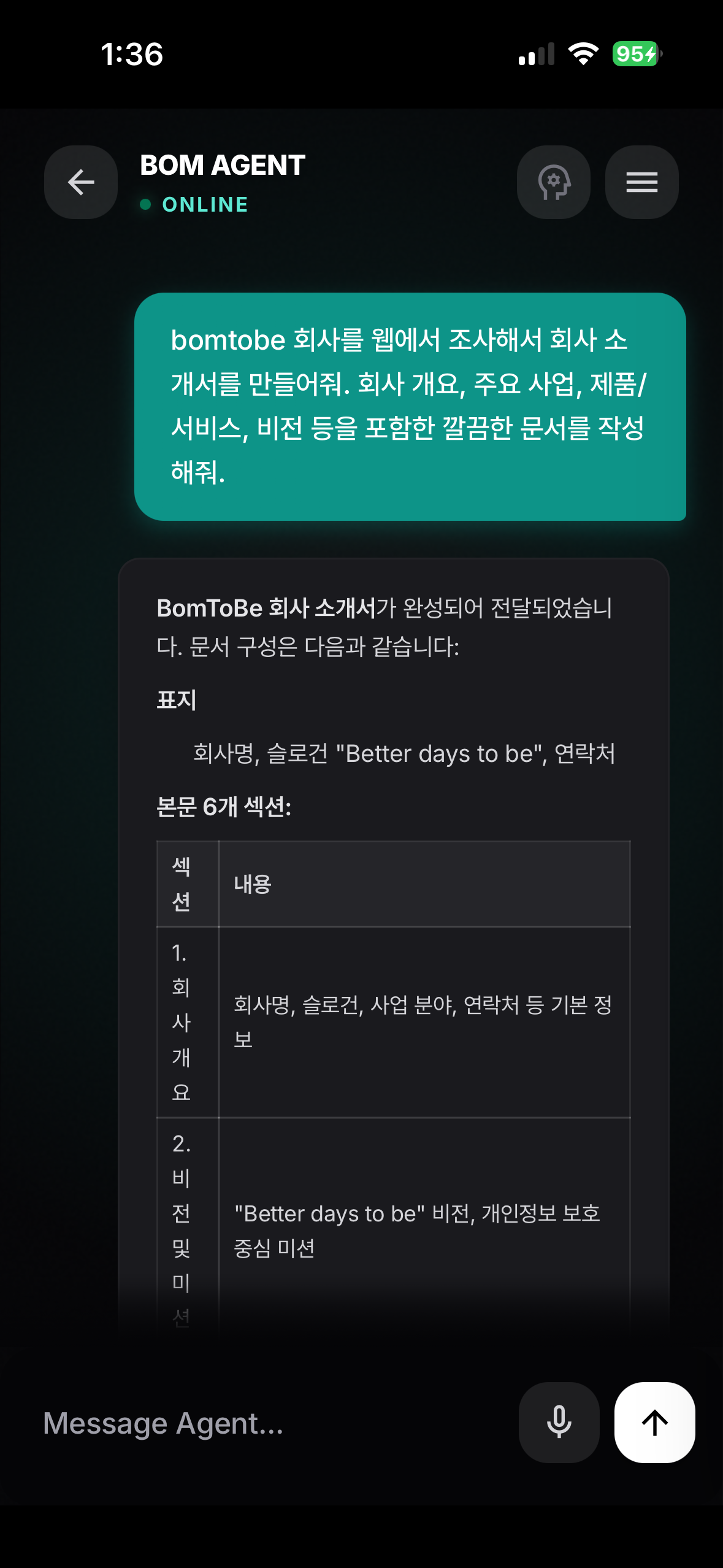
See progress in real time from your phone.
Just speak and it runs. No typing needed.
Get notified when tasks finish or need your approval.
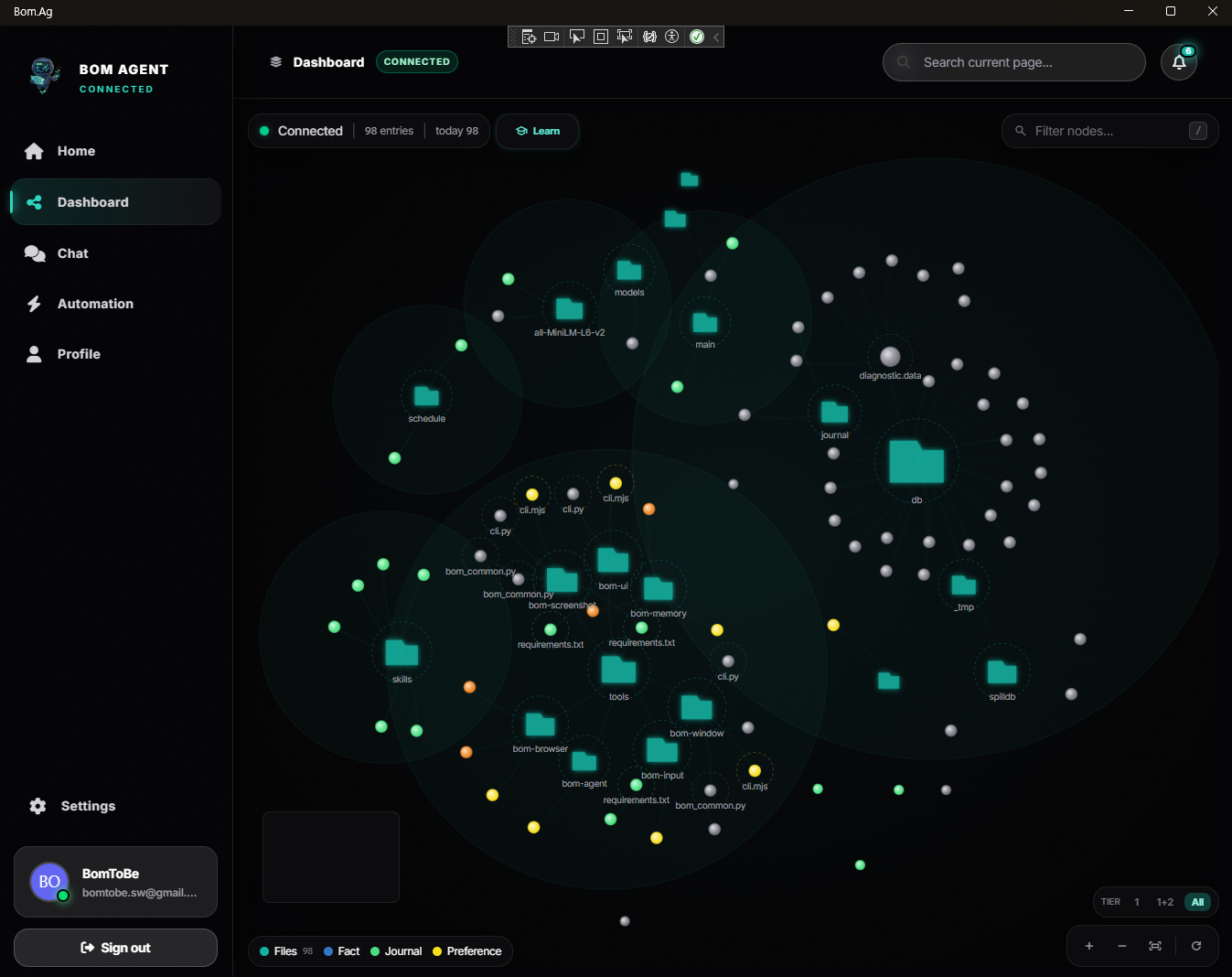
See all your past tasks and their connections in one visual dashboard.
Track how many tasks ran, success rate, and average time at a glance.
"That thing I asked last time" — find any past task instantly.
Your existing AI subscription is all you need. All features free during launch.
Free forever
All features — free during launch
A Claude Pro or Max subscription (for Claude Code) or an OpenAI subscription with Codex access. If you already have one, you can start right away with no extra cost.
Not at all. Just type "organize my schedule" in the chat and that's it. Installation is a single download.
Yes. Bom runs directly on your PC, so it needs to be on. But you can control it remotely from your phone when you're away.
No. Everything runs on your PC, and files stay on your machine. The server only relays commands — it never sees your data.
Risky actions always ask for permission first. File deletions and system changes require your approval before they run. You can also set up safety policies to block certain actions entirely.
Yes. Open the app on your phone, give instructions via chat, and your PC at home or office does the work. You can watch progress live and get notified when it's done.
Free with your AI subscription. Ready in 5 minutes.
Download Free